Step-by-Step Guide
1. Download Switch Sound File Converter
If you don't have the program "Switch Sound File Converter", you can download it here: Download Switch.
2. Install and Start
Install the software and open it. If this is your first time, proceed with the configuration below.
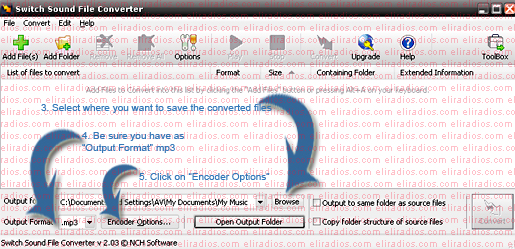
3. Initial Configuration
Configure the output format and encoder settings for your specific radio station requirements.
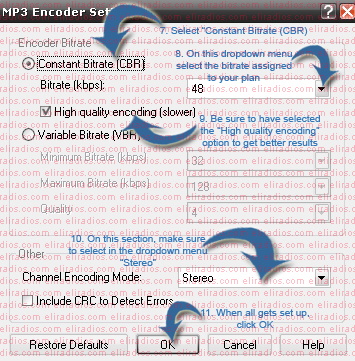
4. MP3 Encoder Settings
Open the MP3 Encoder Settings to set the constant bitrate (CBR) required for your stream.
Note: These steps only need to be done once as settings are saved.
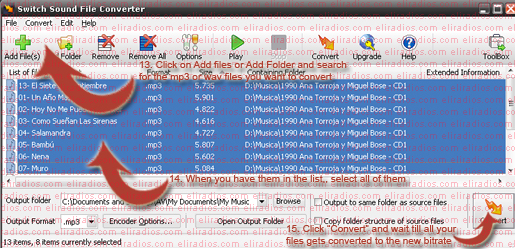
5. Convert Files
Add your files to the main screen, select the output folder, and click Convert.
6. Ready to Upload
The converted files are now ready to be uploaded to your media folder via FTP to be added to your playlists.