Step-by-Step Guide
1. Get SAM Broadcaster
If you don't have SAM Broadcaster, download a 14-day trial here: Visit Spacial Audio

2. Install and Start
Install the software and launch it. Ensure the "Encoders" window is visible in your layout.

3. Select Plugin
Click the + button in Encoders and select the "MP3 and mp3PRO" plugin.

4. Bitrate Settings
In the Converter tab, set your bitrate and quality as per your hosting plan.

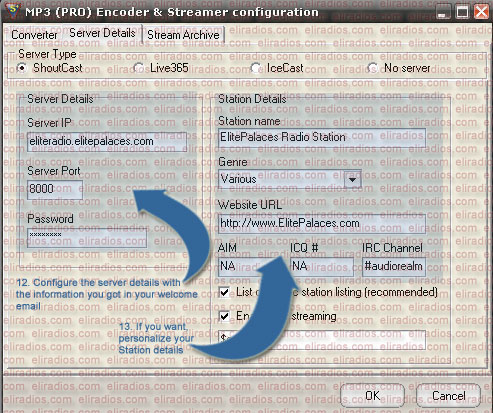
5. Server Details
In the Server Details tab, select "Shoutcast" as the server type and enter your host, port, and password.
6. Archive Settings
Ensure "Save stream to file" is unselected in the Stream Archive tab. Click OK.
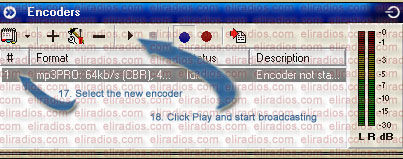
7. Connect
Select your encoder and click the Play (Connect) button.
8. You're Live!
If configured correctly, you can now start broadcasting live on your SHOUTcast station!